Xelentor Technologies

Mobile app development

Mobile App Development Company

We build iOS and Android apps from one codebase with Flutter or React Native and .NET MAUI where it fits.

NDA from the first meeting. You own the code from day one.
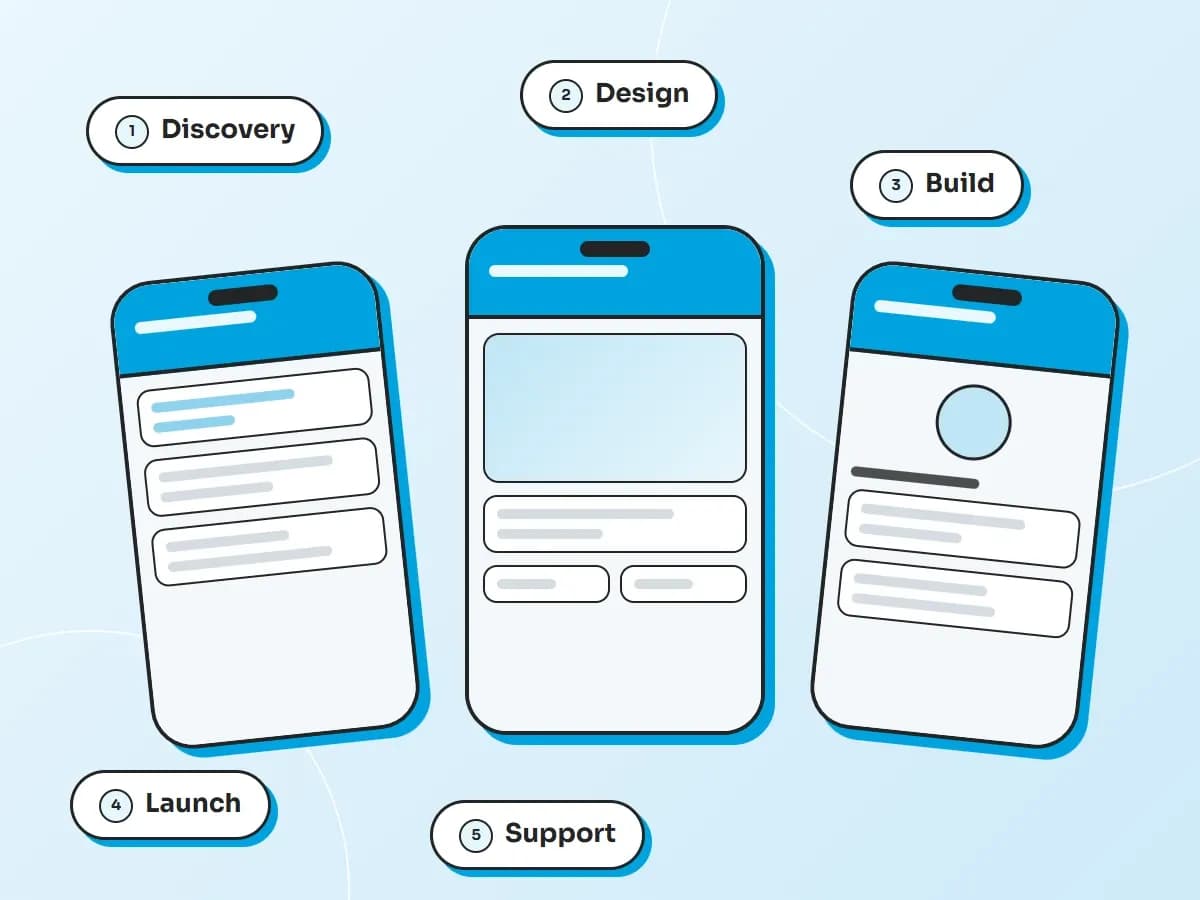
Illustration of three phones showing different app screens. The five stages shown are discovery, design, build, launch and support.

What we do

Mobile apps for your customers and your teams

One team for the app, the backend and the release.

  • Customer apps

    Apps your customers use every day to see information and take action.

  • Field and inspection apps

    Apps for people who work away from a desk, such as safety checks and reports.

  • Learning apps

    Courses, progress and certificates on the phone.

  • Companion apps for your web platform

    A mobile app that works with the system you already have.

  • Apps for staff and teams

    Internal apps that replace paper and messages.

  • Connections to your back office

    Apps that read and write to your systems through APIs.

Choosing an approach

Cross-platform or native?

Both can produce a great app. We recommend one after discovery and explain why.

TopicCross-platformNative
Team and codeOne team and one codebase for iOS and Android.A separate codebase for each platform.
Speed to build and updateFaster, because most work is shared.Slower, because work is done twice.
PerformanceVery good for most business apps.Best for heavy graphics and demanding device features.
Platform featuresMost are available and a few need extra work.Everything is available straight away.
Look and feelShared design with platform tweaks.Fully platform specific.

How it runs

How a mobile app project runs

A working app on a real phone early in the project.

  1. Discovery

    A workshop on your users, devices and scope, ending with a roadmap.

  2. Design

    Flows and clickable prototypes you can try on a phone.

  3. Build

    Short cycles with a working app to test on your own phone. The app and the backend are built together.

  4. Launch

    Testing and release, with help through the App Store and Google Play steps.

  5. Support

    Monitoring, fixes and updates after launch.

Why Xelentor

What you can count on

  • Your code, your IP

    An NDA from the first meeting. You own the code from the first day of work.

  • Engineers who use AI tools

    AI speeds up screen setup and test cases. Engineers handle performance, device differences and store releases.

  • The right team for this work

    Flutter, React Native and .NET MAUI skills in one team, with testing on real devices.

Our work

Mobile apps we have built
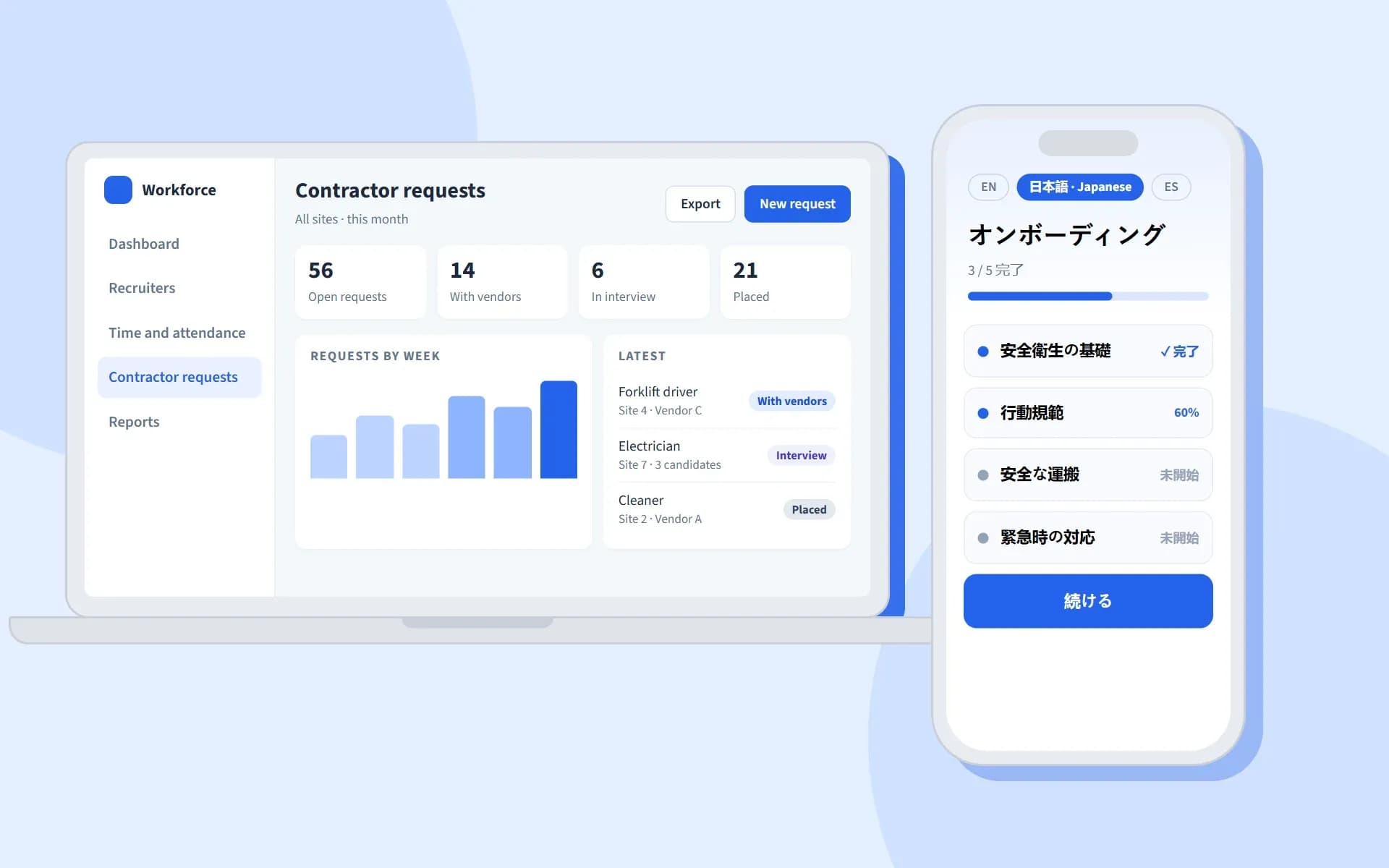
Sample screens of a workforce platform: a web admin dashboard listing contractor requests and a mobile onboarding app shown in Japanese
  • Staffing and workforce

Workforce platform with onboarding that finishes and hiring that runs end to end

  • Onboarding that finishes on mobile
  • Contractor hiring from request to placement
  • AI that reads resumes and matches candidates
  • React Native
  • .NET
  • Azure AI Foundry
  • Azure App Service
Read the case study →
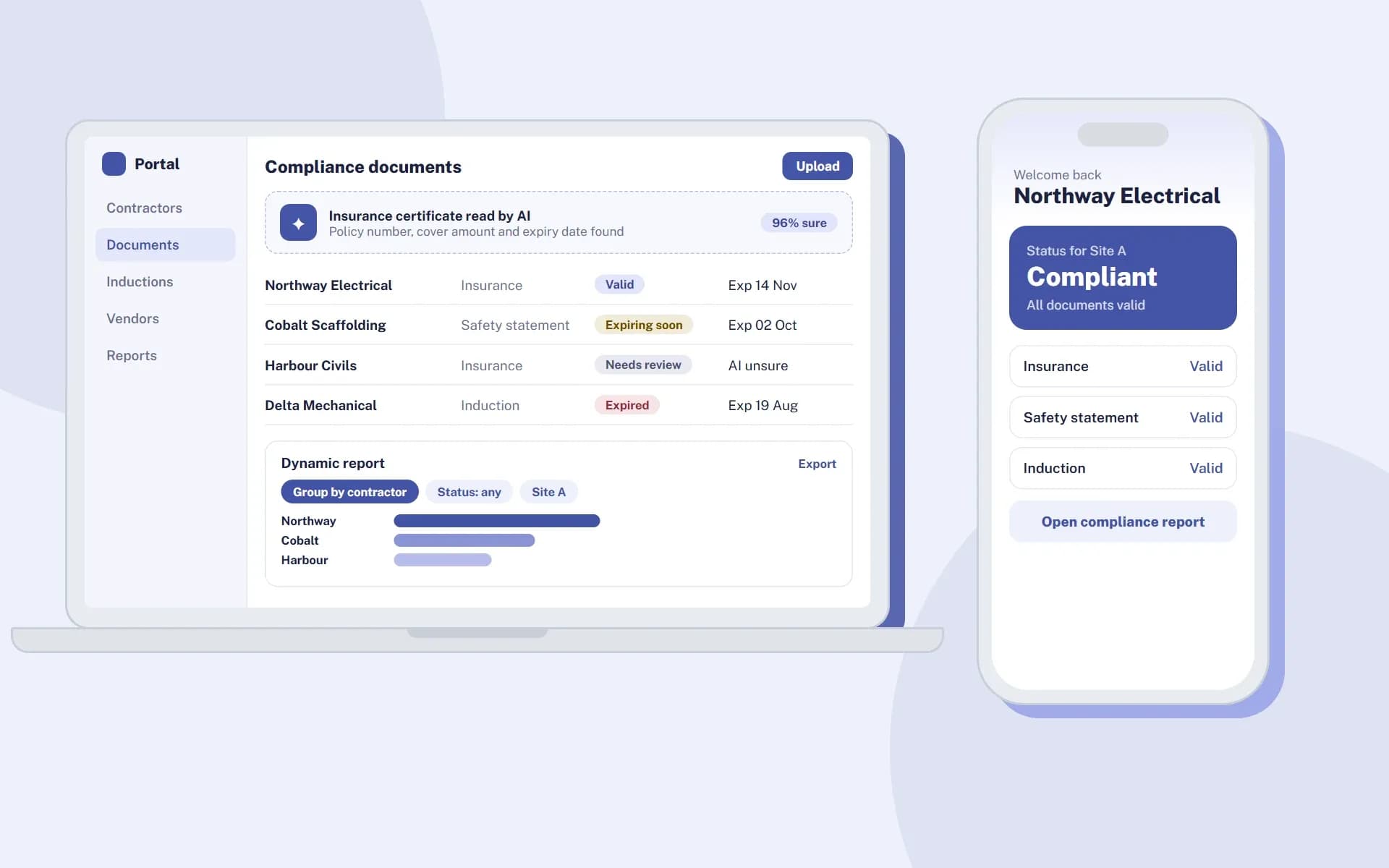
Sample screens of a contractor compliance portal: a document list with AI reading and a dynamic report, next to a phone showing a contractor compliance status
  • EHS

Contractor compliance platform with AI document reading and dynamic reports

  • AI reads certificates and safety data sheets
  • Dynamic reports for every client
  • One upload reused for every client
  • Flutter
  • .NET
  • Azure OpenAI
  • Azure Functions
Read the case study →
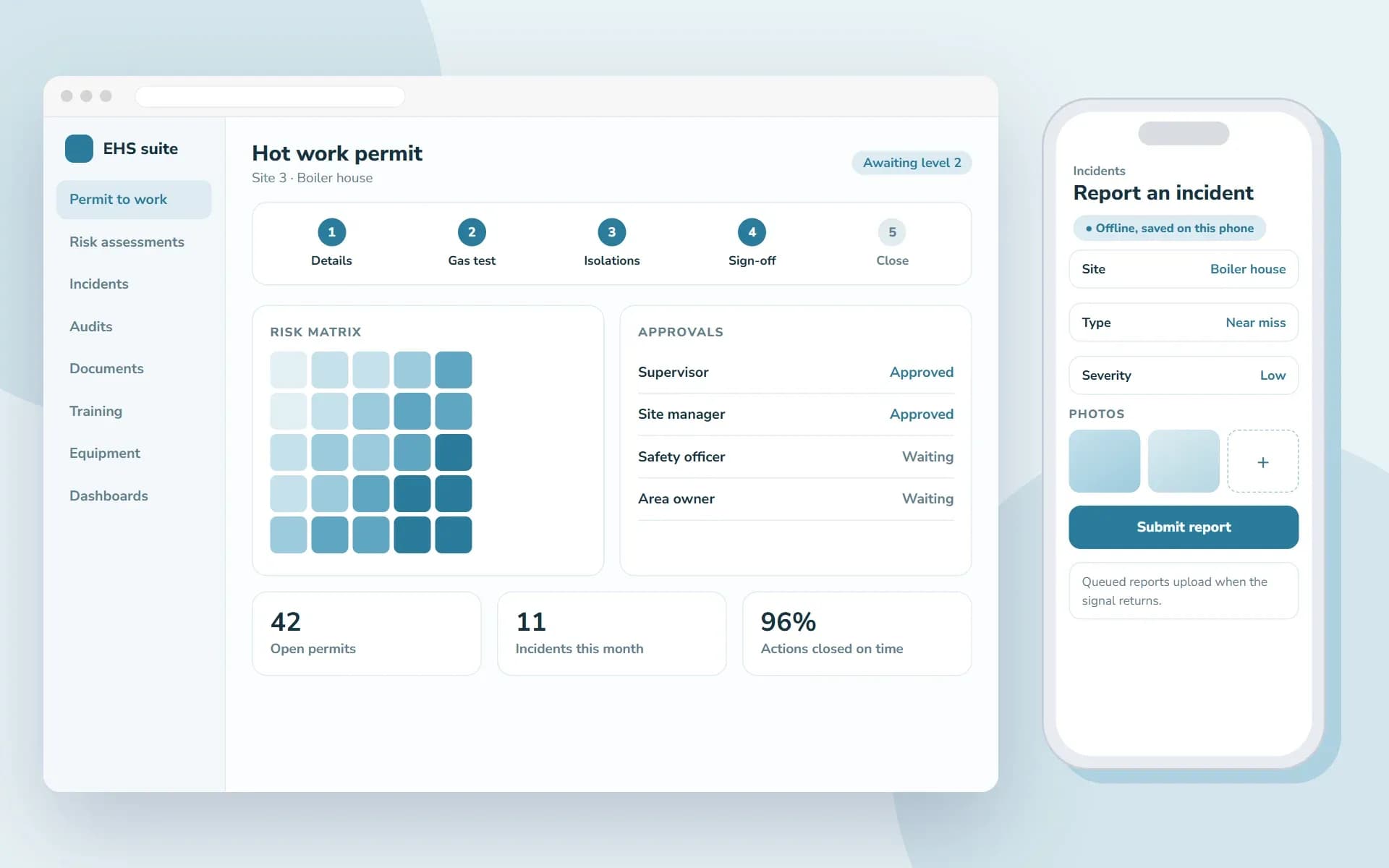
Sample screens of an EHS management suite: a permit to work with steps, a risk matrix, approvals and key figures, next to an offline incident report on a phone
  • EHS

Full EHS suite with permits, risk and incidents plus mobile apps that work offline

  • Permits, risk and incidents in one suite
  • Mobile apps that work offline
  • A zero-downtime move to a new interface
  • Angular
  • Flutter
  • .NET
  • Azure OpenAI
  • Azure Functions
Read the case study →
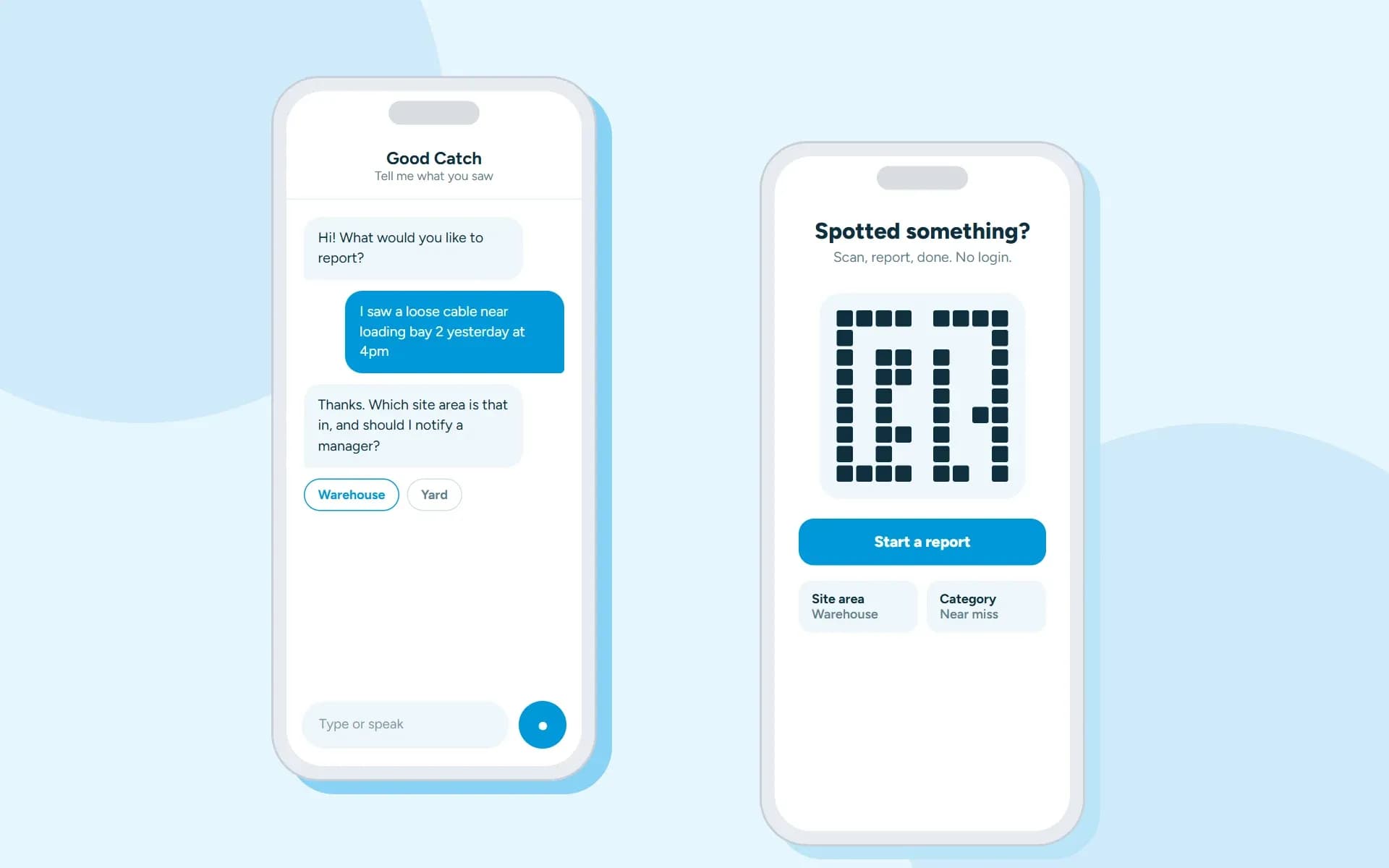
Sample screens of a near-miss reporting app: an AI chat taking a report and a QR code start screen
  • EHS

Near-miss reporting by QR code, text or voice, with no login

  • Report by QR code with no login
  • Chat or voice reporting with AI
  • Approved reports become tracked actions
  • Flutter
  • .NET
  • Azure OpenAI
  • Azure AI Speech
Read the case study →
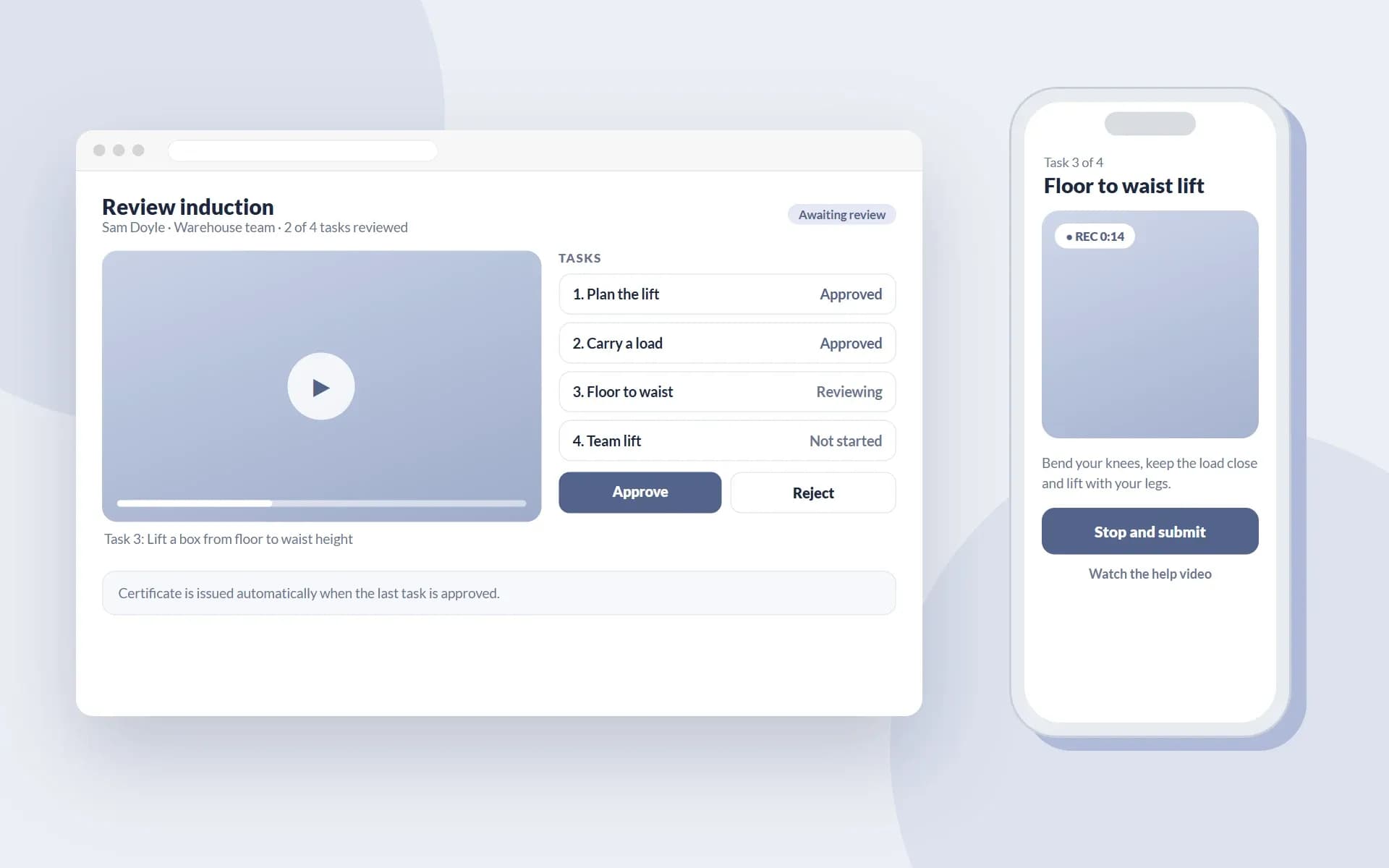
Sample screens of a manual handling training app: a trainer reviewing a recorded task and a phone recording a lifting task
  • EHS

Remote manual handling training with video evidence and automatic certificates

  • Workers record tasks on their phone
  • Trainers review remotely
  • Certificates issued automatically
  • Flutter
  • .NET
  • Microsoft SQL Server
  • Azure Blob Storage
Read the case study →
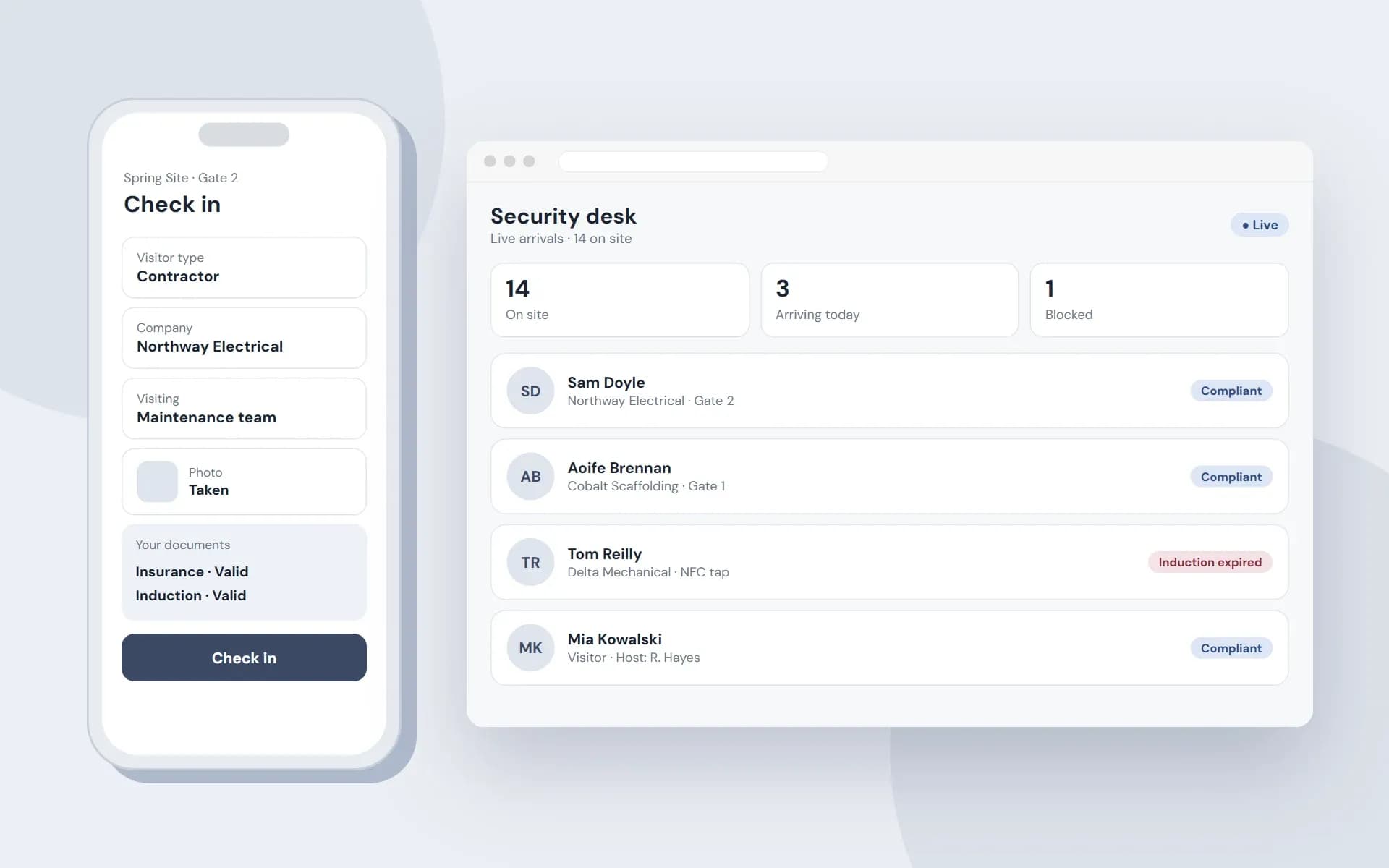
Sample screens of a visitor check-in platform: a phone check-in form and a live security desk with compliance badges
  • EHS
  • Manufacturing

Visitor and contractor check-in by QR code, linked to site gates and live compliance

  • QR check-in on the visitor's phone
  • A live list of who is on site
  • Badges blocked when compliance lapses
  • Flutter
  • .NET
  • Microsoft SQL Server
  • Azure Functions
Read the case study →
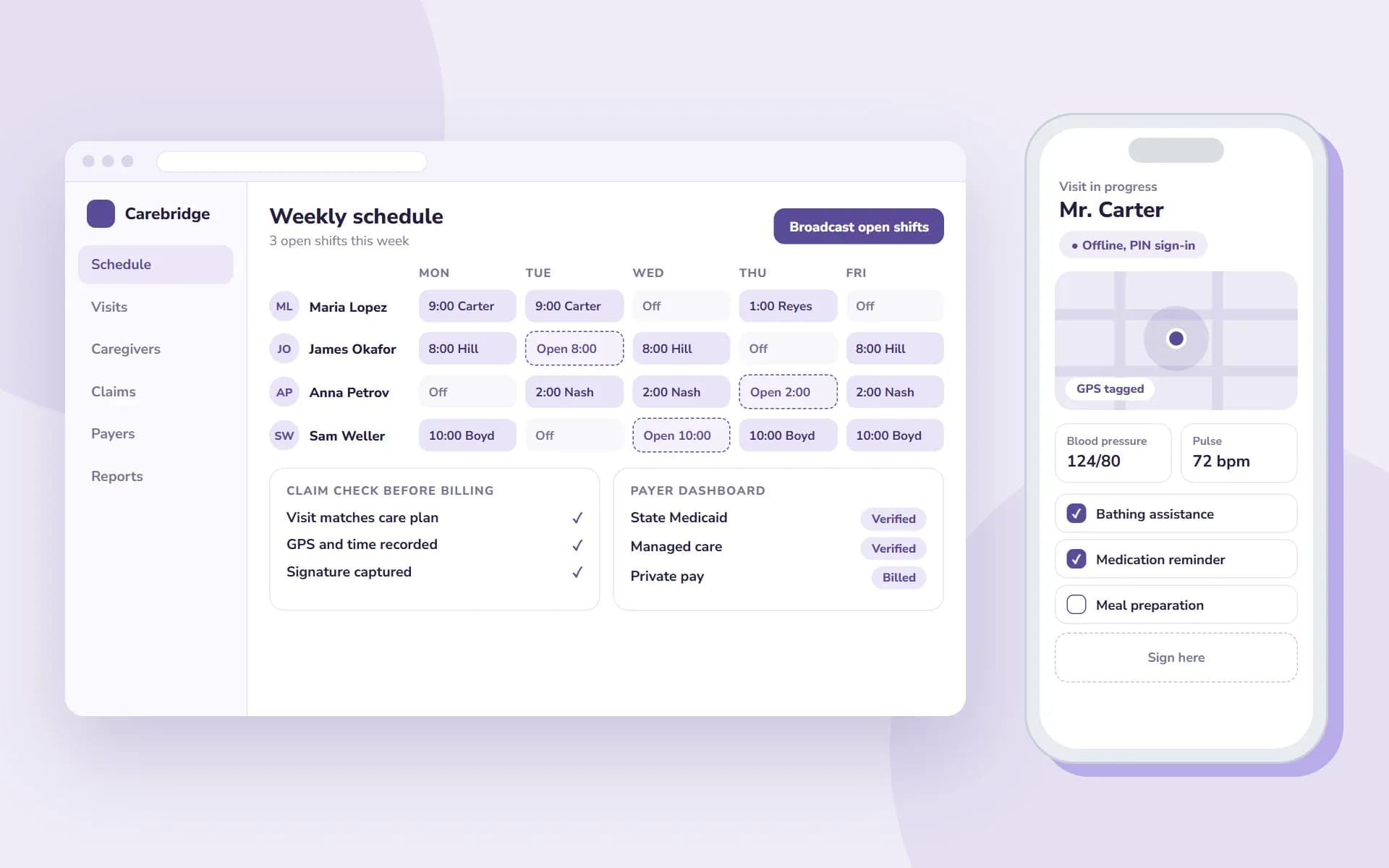
Sample screens of a home care platform: a weekly schedule with open shifts and a claim check next to a caregiver visit app with GPS, vitals and a signature
  • Healthcare

Home care platform with GPS visit verification, shift broadcasting and faster Medicaid billing

  • GPS and signature visit verification
  • Open shifts sent to the right caregivers
  • Claims checked before they are sent
  • React
  • React Native
  • .NET
  • AWS
Read the case study →
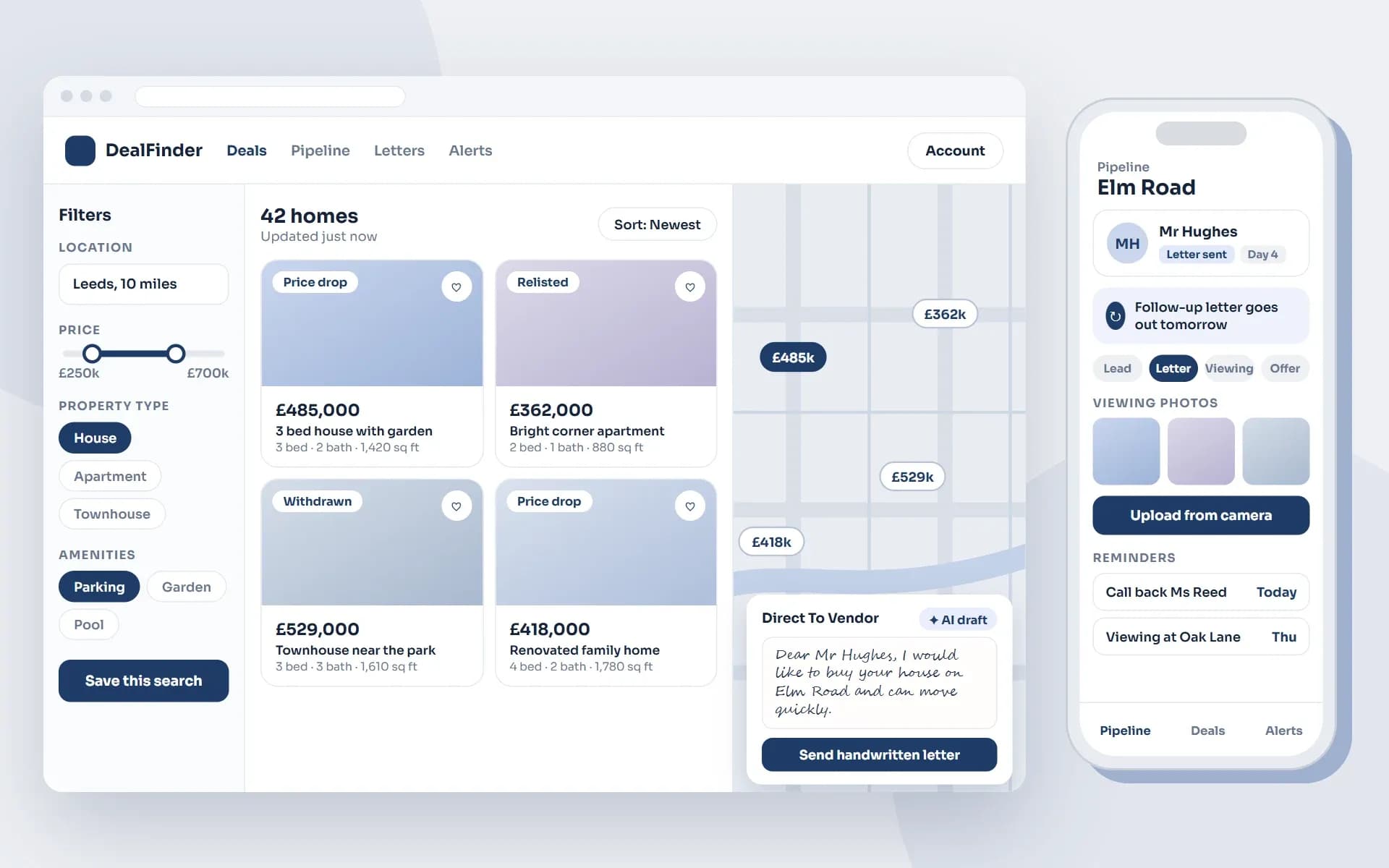
Sample screens of a property investor platform: a web app with search filters, listings with price drop and relisted tags, a map and a Direct To Vendor handwritten letter draft, beside a mobile app with a pipeline, reminders and viewing photos
  • Real estate

Property investor SaaS platform with advanced filters, live listings and AI-written letters to vendors

  • Advanced filters and live listings
  • Handwritten letters sent to vendors
  • A mobile app for the pipeline
  • Blazor
  • .NET MAUI
  • .NET
  • Azure OpenAI
Read the case study →

View all case studies

Technologies

The stack we use

Flutter, React Native or .NET MAUI, chosen for your team and the features you need.

FAQ

Questions about mobile app development

Should we build for iOS and Android together?

Often yes. With Flutter, React Native or .NET MAUI one team builds both from one codebase. That keeps cost and updates simpler than two separate native apps.

How do you choose between Flutter and React Native?

We look at your team, your web stack and the features you need. Then we recommend one in discovery and explain why. If your team already works in .NET we also consider .NET MAUI.

Can the app connect to our existing systems?

Yes. We connect apps to your systems through APIs. If the APIs do not exist yet we can build them as part of the project.

Do you publish the app to the stores?

Yes. We prepare the release and guide you through the App Store and Google Play steps. We test on real devices before each release.

Can you keep updating the app after launch?

Yes. We can stay on for monitoring, fixes and updates. That includes adapting the app to new iOS and Android versions.

Who owns the code?

You do. You own the app code from the first day of work.

Tell us what you are building

You will hear back from our team within one business day.

Prefer email?info@xelentor.com

Hiring a team? Ask about our 1-week free trial for dedicated teams.

We sign an NDA from the first meeting.

By sending this form you agree to our Privacy Policy.