
Document control with approval workflows and read-and-acknowledge tracking
Policies and procedures lived in shared drives and email, so nobody knew which version was current. We built a web product with its own approval workflow engine, so everyone works from the current approved version.
The situation
Nobody knew which version was current.
Policies and procedures lived in shared drives and email.
Old copies still in use
Nobody could be sure which version was current. Old copies stayed in use.
Approvals over email
Approvals happened over email with no audit trail. Review dates passed unnoticed.
No proof of reading
When an auditor asked whether staff had read a procedure, there was no answer.
Our approach
One approval engine for every organization.
One approval engine had to be flexible enough for any organization, across many sites and folders, without leaving documents stuck half-approved.
A generic workflow engine
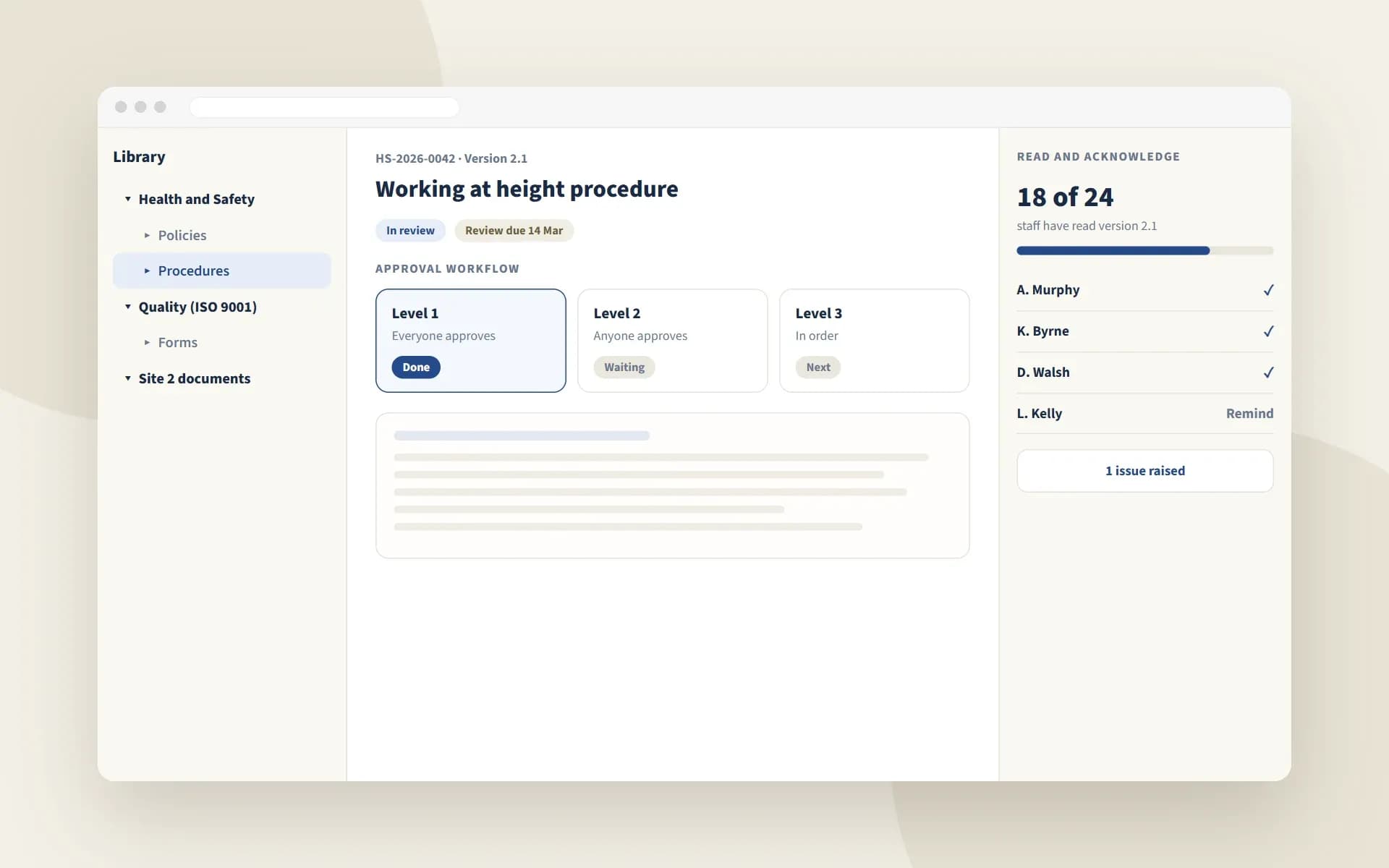
It tracks the workflow, each level and each individual approver separately. It supports three modes: everyone approves, anyone approves or approvers in a set order.
Clean rejection and promotion
A rejection at any level closes the level, the workflow and the document. Approving a draft promotes it to the next major version, so the published document is always the approved one.
Folder permissions that scale
Sharing is stored as a hierarchy, so access rules apply down the whole folder tree efficiently.
Technology
What it is built with
An ASP.NET Core web product on a .NET API with Microsoft SQL Server. Azure Functions and Microsoft Graph API connect Microsoft Forms.
- ASP.NET Core MVC
- .NET
- Entity Framework Core
- Microsoft SQL Server
- FluentValidation
- AutoMapper
- Azure Functions
- Microsoft Graph API
- Handlebars
- Azure Blob Storage
Results
What changed for the client.
Before → after
From shared drives to controlled documents.
Every document has an owner, a version, an approval trail and proof of reading.
Shared drives and emailA structured library
A folder tree with sharing by role or person. Automatic document numbers such as HS-2026-0042.
Unclear versionsVersion control
Major and minor versions, with a full version history.
Email approvalsApproval workflows
Multi-level approvals set up per site or folder, with self-approval for private documents.
No proof of readingRead and acknowledge
Staff confirm they have read each version. Reminders can be sent.
Missed review datesExpiry and review dates
Documents that need periodic review are tracked, so they stay current.
Forms in inboxesForms to controlled PDFs
Microsoft Forms submissions become controlled PDF documents automatically.
Related
More about this kind of work
EHS software
Software for environment, health and safety teams.
See the industryCustom software development
Business platforms, client portals and internal tools built around how you work.
See the service.NET development
Business platforms, APIs and apps on .NET and Azure.
See the technologyAzure development
Hosting, DevOps pipelines, cloud migration and cost tracking.
See the technology
Tell us about your project
You will hear back from our team within one business day.